Say it now,
read it later
Tap the mic and talk. The recording lands where your cursor is, with a transcript underneath that you can edit — and the audio is always kept.
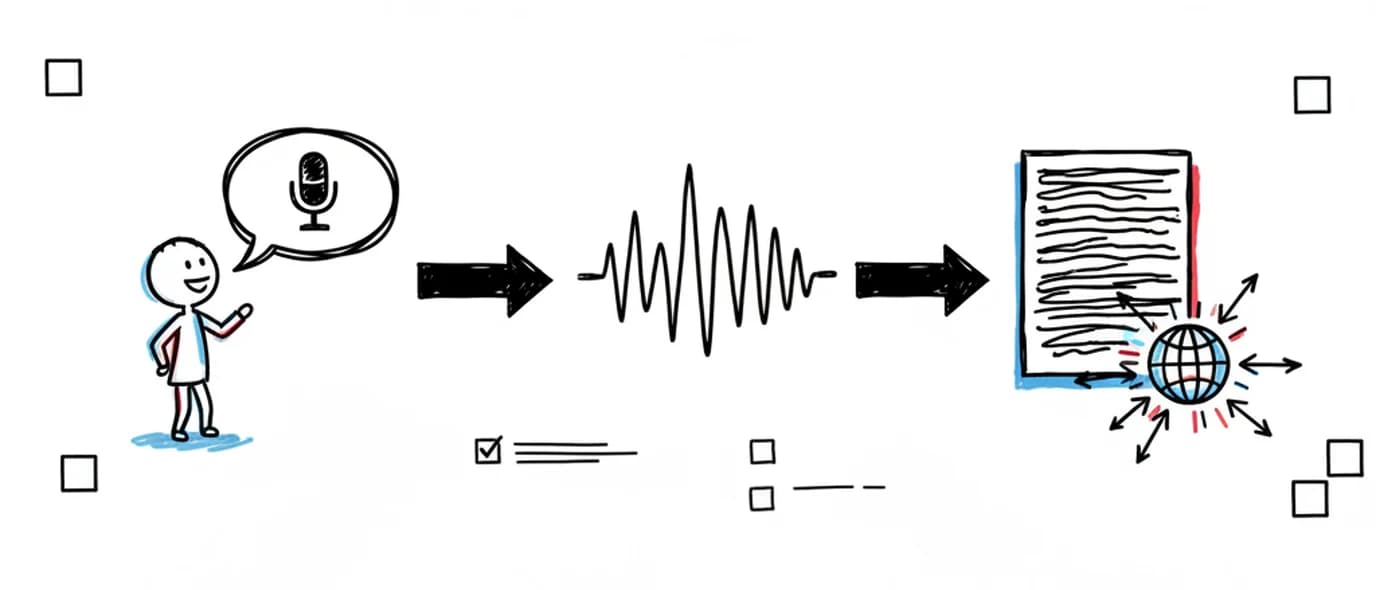
You record a voice note directly onto a page in Three Pages Daily.
The audio is saved as its own file with a waveform and playback, and your browser's speech recognition produces a transcript live as you speak, in one of fifteen languages. The transcript is editable text stored separately from the recording. Automatic transcription requires Chrome or Safari 14.1+.
One tap, then talk
The recorder opens in place. There's no separate voice-memo app, no file to name, and no step where you move the recording somewhere else afterwards.
Lands at the cursor
The voice note appears exactly where you were writing, mid-entry if that's where it belongs.
Waveform and playback
Scrub and replay in the page, without downloading anything.
Fifteen languages
English (US/UK), French (FR/CA), Spanish (ES/MX), Portuguese (BR/PT), German, Italian, Chinese, Arabic (SA/EG), Korean and Japanese.
Audio kept as the original
Editing the transcript never alters the recording. Tone survives even when the words get corrected.
Spoken entries are different entries
Talking produces looser, more honest, worse-organized sentences than typing. On days when writing feels like work, that's an advantage rather than a compromise.
Faster than typing
A minute of speech covers more ground than a minute of thumbs on a phone keyboard.
Hands-free moments
The walk home, the drive, the ten minutes before a meeting — times when a keyboard isn't available.
Same page, same date
The note sits with that day's writing instead of becoming an orphan file in a voice-memo list.
Searchable, not just listenable
The transcript goes into search, so the words you said are how you find the recording again.
When a voice note beats typing
Walking home
The most honest entries tend to happen when you're not looking at a page. Talk for ninety seconds; read it back tomorrow.
Right after something
A hard conversation, a good meeting, an idea in the shower queue. Detail decays fast — speaking captures it before it flattens.
When writing feels like work
Some days the habit survives only if the friction drops. Speaking is the lower-effort door into the same page.
Compared with a voice memo app
Your phone already records audio. What it doesn't do is put the recording next to the day it belongs to.
Frequently asked questions
Automatic transcription uses your browser's built-in speech recognition, which today means Chrome or Safari 14.1 and later. In other browsers — Firefox, for example — you can still record, play back and keep voice notes on the page; you just won't get an automatic transcript and would need to type one yourself.
No. Transcription happens live in the open tab while you speak, so leaving the recorder or closing the tab stops it. There is no server-side job that finishes in the background. In practice this means the transcript is ready the moment you stop talking, but it also means you need to stay on the page while recording.
Fifteen, counting regional variants: English (US and UK), French (France and Canada), Spanish (Spain and Mexico), Portuguese (Brazil and Portugal), German, Italian, Simplified Chinese, Arabic (Saudi and Egyptian), Korean and Japanese. You pick the language before recording and it is a per-recording setting, so a bilingual journal can switch between entries. Availability comes from your browser rather than from us — Chrome covers the widest set, and on Safari it depends on which system language packs you have installed.
Both, and separately. The recording is stored as its own file with a waveform and playback, and the transcript sits alongside it as editable text. Correcting a mis-heard word in the transcript doesn't touch the original audio, so the recording stays the source of truth.
Yes, and it's the main reason a transcript is worth keeping — a recording becomes findable by what was said in it, rather than by the date you happened to make it. Transcripts are searched from the Calendar alongside your typed text, the words inside photos you added, your links, tasks and attachments. The Library's Voice tab also filters voice notes on their own if you want to browse just those.
Recording and transcription are both included on the free plan. What the plan limits is media storage: 250 MB on the free Standard plan and 10 GB on Premium. Audio is stored as compressed webm/opus, so 250 MB holds a substantial number of short daily notes.
Keep exploring
Voice notes end up in the Library's Voice tab automatically, alongside every image, drawing and link you've added.
Make room for your mind
every day.
Three pages a day. No setup, no folders, no complexity. Just open it and write.