A private journal app
for your iPhone
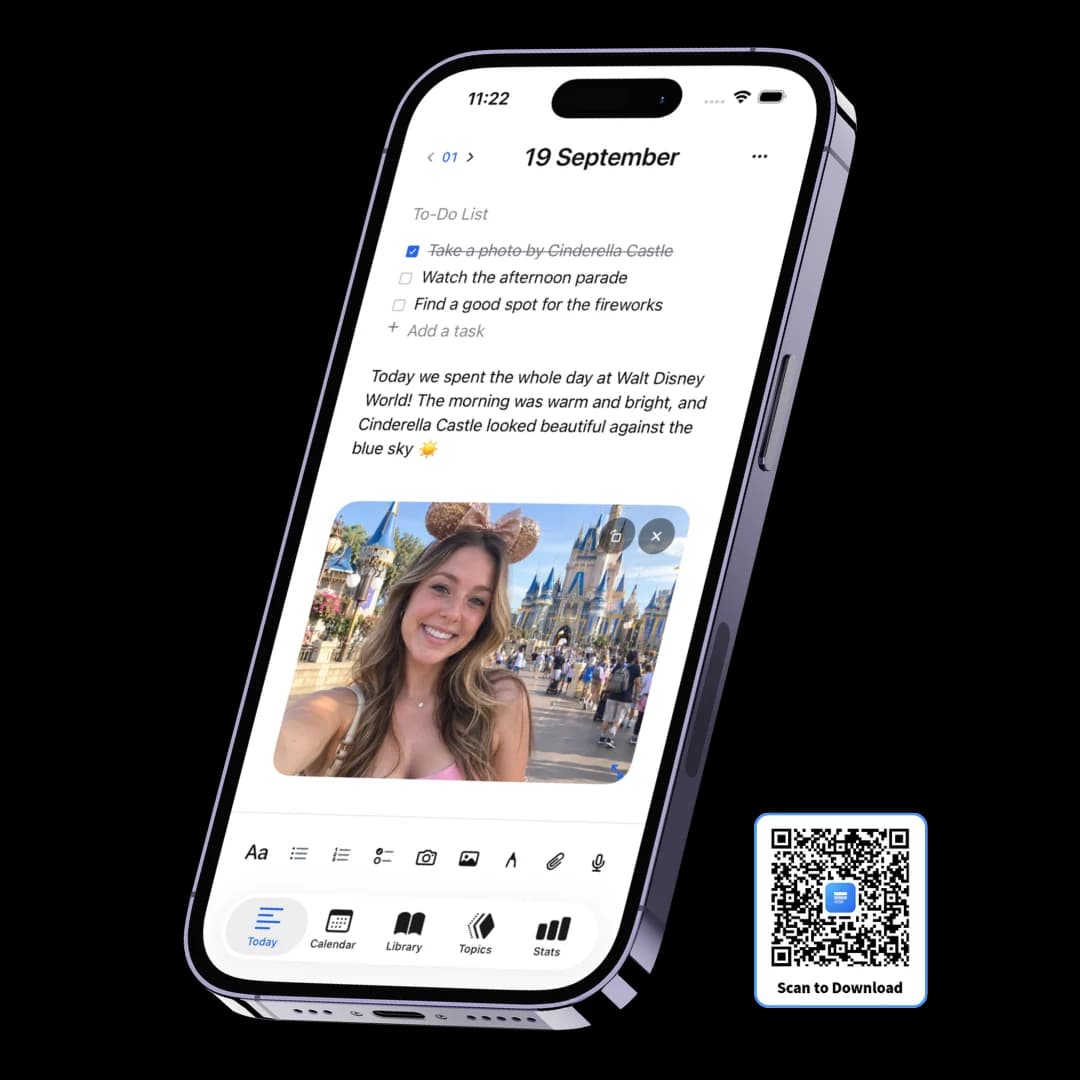
Three Pages Daily is a minimal private journal app for iPhone — a free diary that gives you three pages a day and asks nothing of you before you write.
There are no notebooks to create, no templates to choose and no prompts to answer: the date organises everything. A page takes typing, handwriting, photos, voice notes and files in any mixture, the whole journal is stored on the phone rather than a server, and a four-digit passcode with Face ID keeps it shut.
Three fresh pages every morning
The day's three pages arrive dated, with a checklist above them and no decision in between. That is the whole structure — no notebook to choose, no template to pick, no title to invent, and nothing you have to maintain a month from now.
Three pages a day
A page can be one line or a thousand words. The limit is a shape, not a quota.
A to-do list on every page
Sits above the writing, so the day's tasks and the day's account live together.
Filed by date, automatically
You never decide where an entry goes. The date is the filing system.
Nowhere to get lost
Five tabs — Today, Calendar, Library, Topics, Stats. That's the whole app.
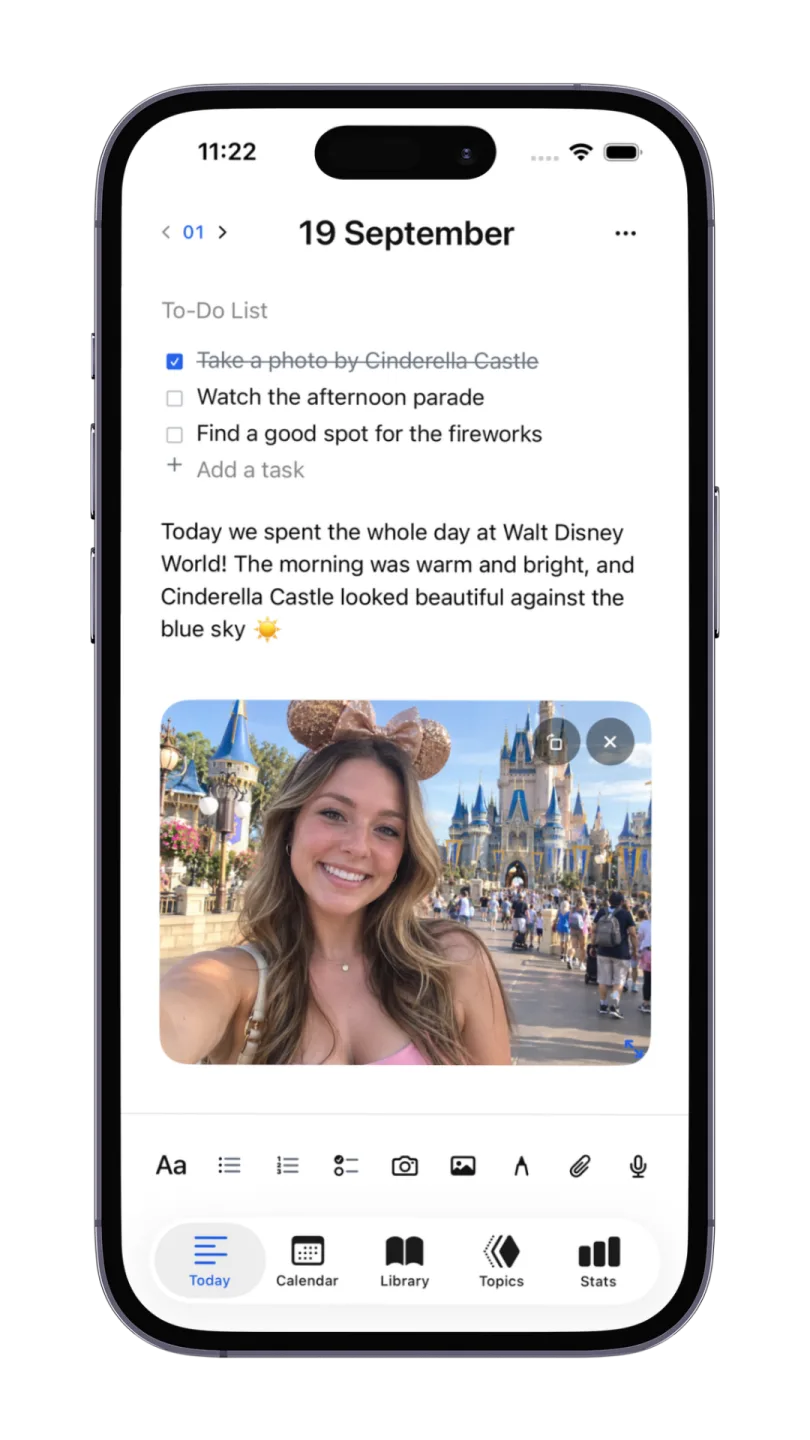
Four ways to catch it, before it's gone
Most things worth journaling arrive while you're doing something else, and the entry you don't start in ten seconds is the one you never write. So the toolbar carries every capture method at once, and none of them cost you a screen.
Type it
The page is already open at today's date. No folder to pick, no title to invent.
Say it
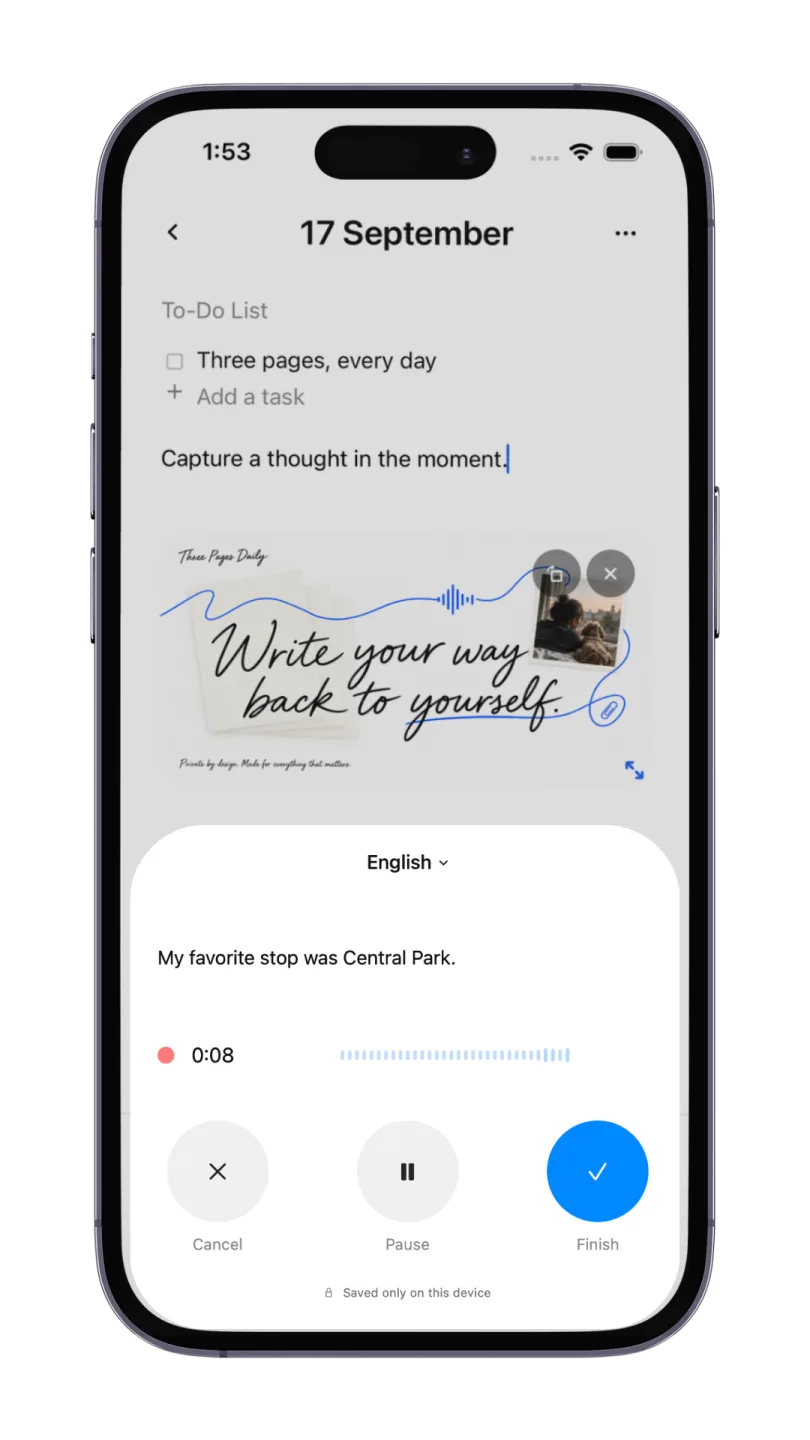
Record onto the page and get a live transcript you can edit — both stay with the day.
Snap it
Camera and photo library are in the same toolbar, so a picture lands in the entry itself.
Draw it
A canvas anywhere in the page, for the things that are faster sketched than described.
Find the day you're thinking of
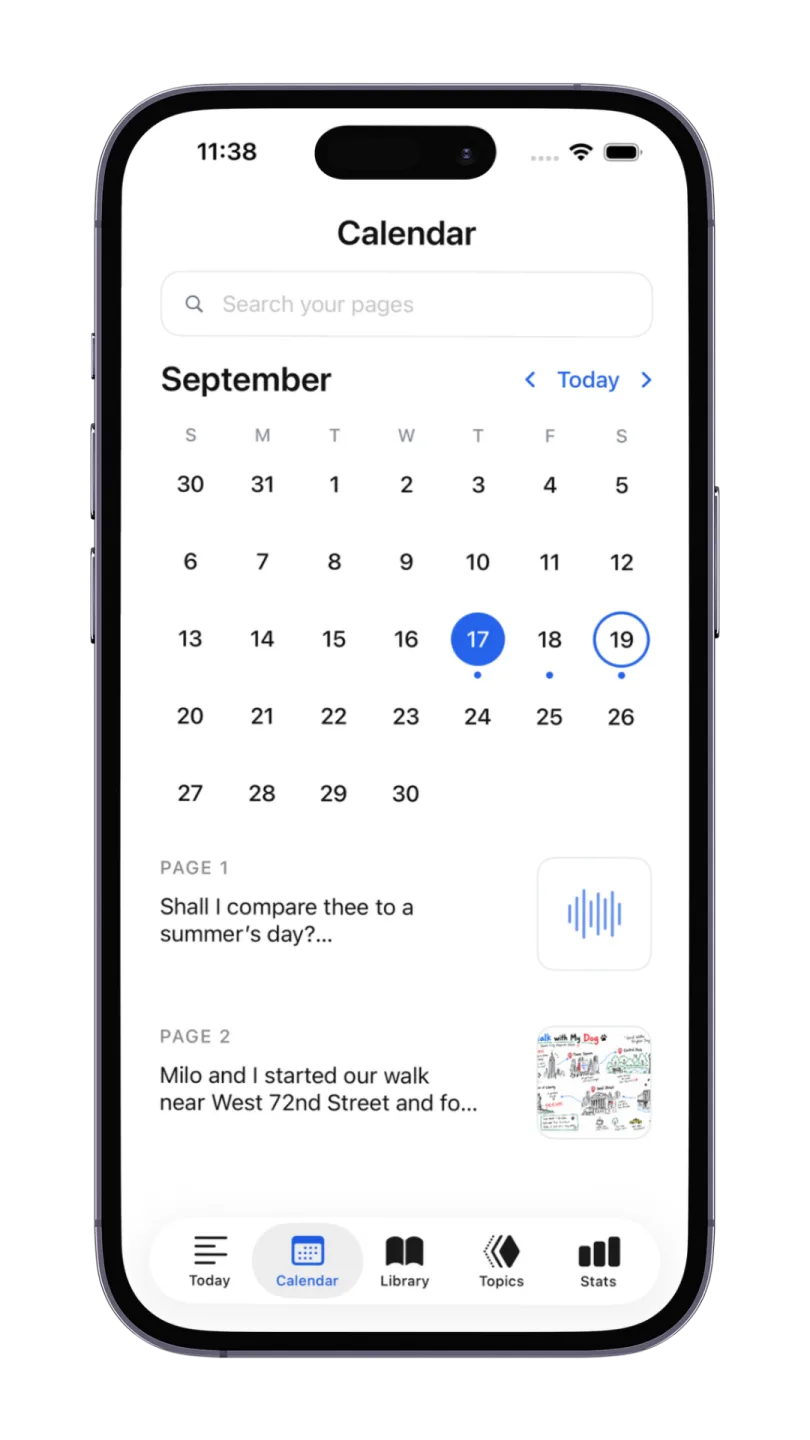
A journal is only worth keeping if you can get back into it. Dots on the calendar show which days you wrote, and one search box covers the writing, the transcripts and the text inside your photos.
Dates, not folders
Everything files itself by the day it happened — the way you'll actually look for it.
Search your pages
Entries, voice transcripts, words inside photos, and inside some attachments.
See the day at a glance
Page previews sit under the month with thumbnails, so you recognise a day before opening it.
Handwriting stays a drawing
Worth knowing up front: sketched words aren't searchable. Type what you'll want to find.
The whole moment, not just the words
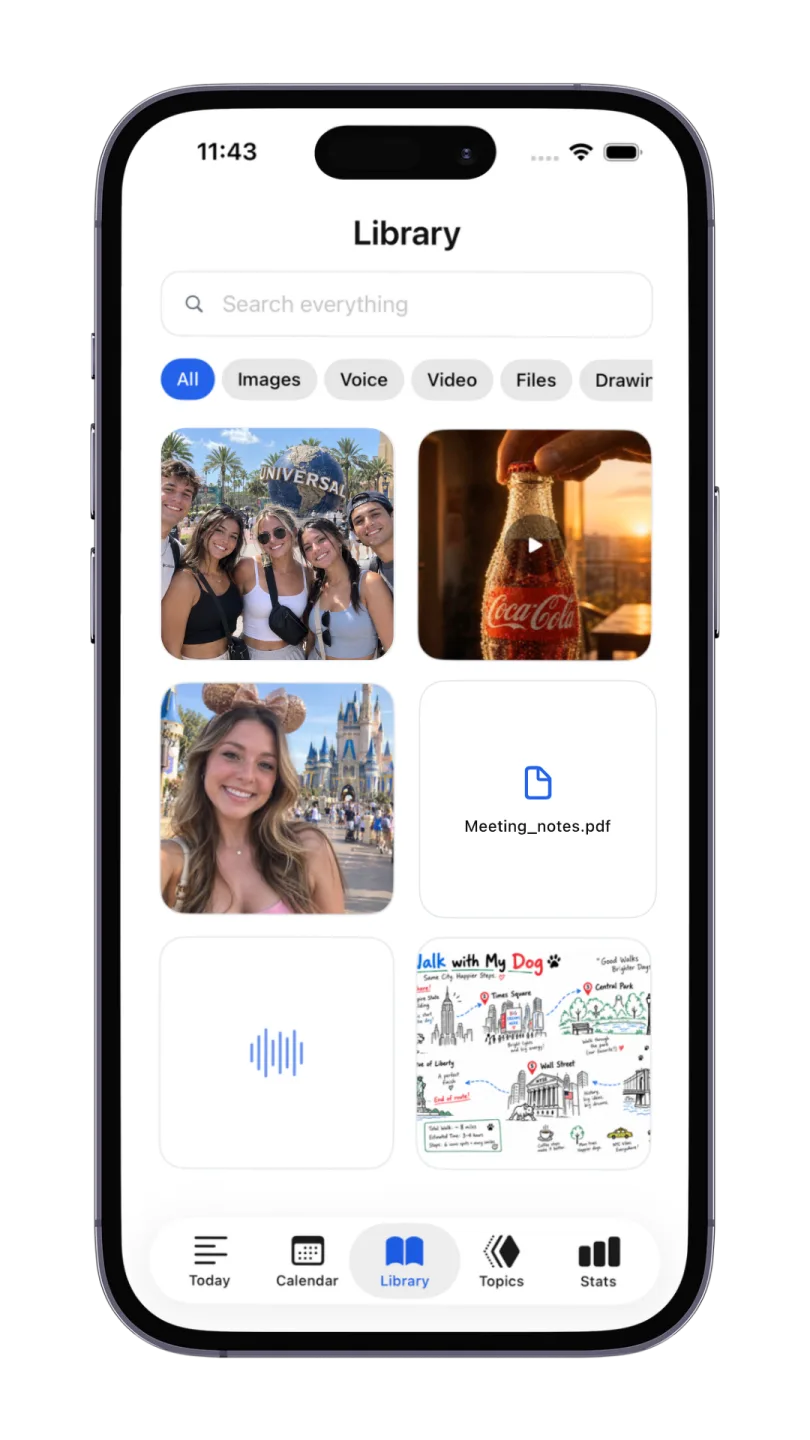
Photos end up in the camera roll, voice memos in another app, PDFs in a third. The Library collects everything you ever put in a page and keeps it browsable by kind, without you filing any of it.
Images, Voice, Video, Files, Drawing
Auto-collected tabs. You never move anything into them.
Search everything
One box across the whole library, including text recognised inside your photos.
Files travel with the day
A PDF or a video sits in the entry it belongs to instead of a downloads folder.
Still on the device
Media is stored on the phone like the writing. Nothing is uploaded to us.
Enough streak to keep going, not enough to nag
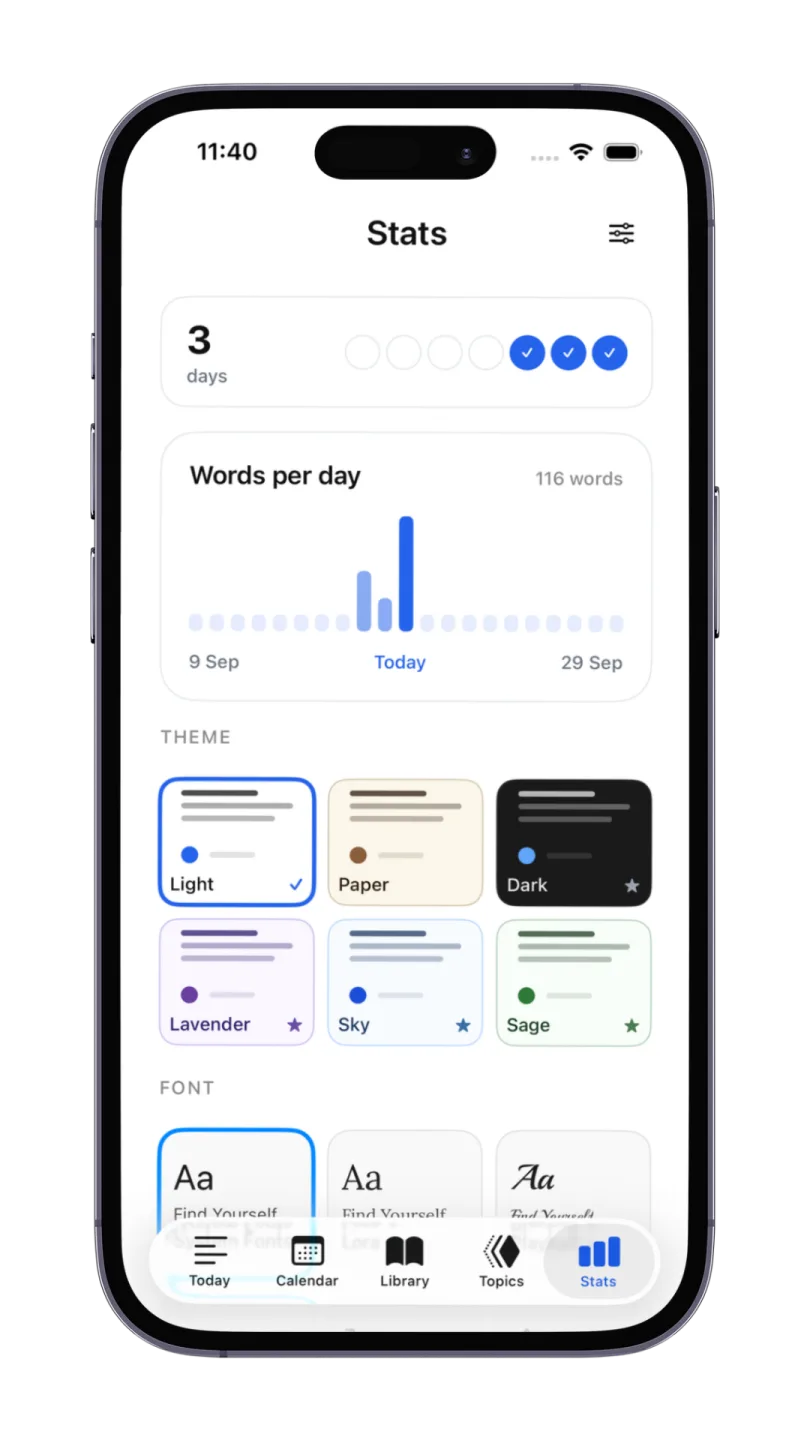
Stats shows a day count and a words-per-day chart, and then gets out of the way — there are no goals to hit, no reminders and no habit scoring. The same screen is where you make the app look like somewhere you want to write.
A streak and a word chart
Days in a row and words per day. That's the whole of it — no targets, no scoring.
Six themes
Light, Paper, Dark, Lavender, Sky and Sage. Light is free; Premium unlocks the rest.
Six writing fonts
From the system face to Lora, Courier Prime and the handwritten Caveat.
Four paper styles
Plain, ruled, dotted or grid under whatever you write.
A journal app with a lock
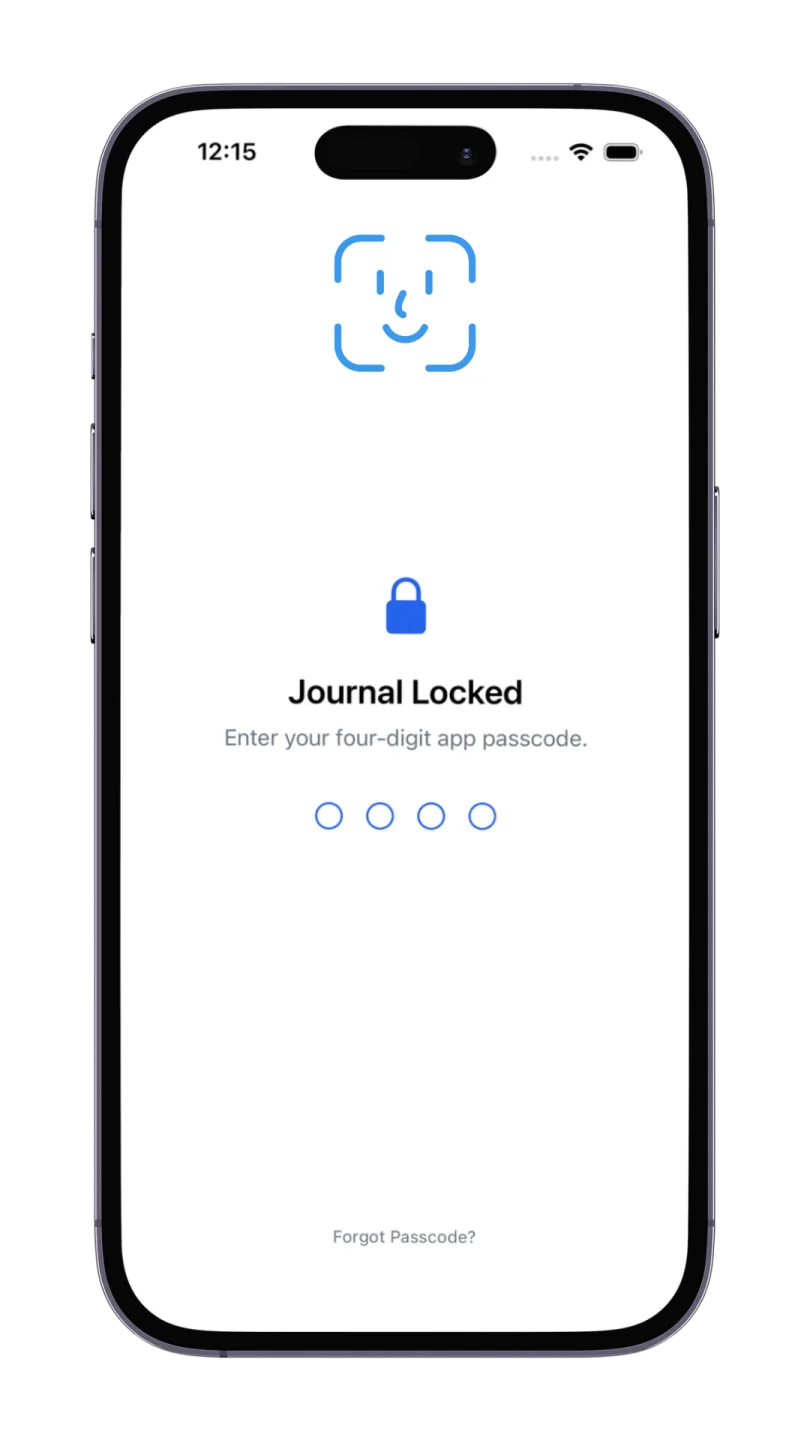
Your phone's passcode keeps out strangers. It doesn't keep out the person you just handed your unlocked phone to so they could see a photo. A passcode on the journal itself does.
Four-digit passcode
Set on the app itself, so it stays locked on an already-unlocked phone.
Unlock with Face ID
Look at it and you're in — the passcode is the fallback, not the daily step.
Nothing to breach remotely
There's no account and no server copy, so there's no login of ours to compromise.
Compared with the apps already on your iPhone
Two of these are free and installed by default, which makes them the real competition. They're genuinely better at some of this.
Frequently asked questions
Yes — this one is free to download, and the free tier is a real journal rather than a demo: three pages a day with no length limit, photos, drawings, voice notes with transcription, Topics, search and the passcode lock. Apple's built-in Journal app is free too. Premium here is $5.99/month and mainly buys unlimited pages a day, the other themes and fonts, and iCloud sync across your Apple devices.
Be honest about what stops you writing, then pick for that. If you want suggestions pulled from your photos, music and workouts, Apple's own Journal app does that better than anything and it's already installed. If you want the deepest feature set and you're happy inside Apple's ecosystem, Day One is the most polished. Three Pages Daily is the best fit if you want a minimal private journal with nothing to configure, one that keeps every entry on the phone instead of a server and locks behind Face ID.
Yes — this is one. You can set a four-digit passcode and unlock with Face ID, so the journal stays shut even when the phone is already open, which matters if you ever hand it to someone to show them a photo. That's a real lock on the app rather than a hidden folder, and unlike most journals with a lock it works on the free plan. If you came here looking for a paper diary with a lock and key, that's a different thing and this isn't it.
This one does, completely — there's no server involved, so a tunnel, a plane or a foreign SIM changes nothing about how it behaves. That isn't true of most journal apps, including our own web version, which needs a connection to back anything up. If you journal on commutes or while travelling, it's the single most useful difference.
On the iPhone itself. There's no account to create, nothing is uploaded to us, and nothing is read, analysed or used to train a model — the voice recorder even says "Saved only on this device" while it's running. The trade is that a lost phone means a lost journal unless you turn on iCloud sync with Premium or export to PDF now and then.
Yes, and on a phone it's often the faster route. Recording opens a panel with a language picker and a live transcript, and when you finish, both the audio and the editable text stay on the day's page. Everything is transcribed on the device. The transcript is searchable later, so a voice note isn't a dead end you have to listen through to find anything.
With Premium, yes — iCloud sync keeps the same journal on every Apple device signed into your account, and it goes through your iCloud rather than through us. On the free tier the app is deliberately single-device: what's on the iPhone stays on the iPhone.
For unsorted capture, Notes is fine and already on your phone. The difference shows up months later: a journal files everything by date automatically, so you never decide where an entry goes, and you can open any day to see what was happening. Notes gives you that only if you build and maintain the structure yourself, which is the part most people quietly stop doing.
Keep exploring
If you write on both, the iPad side of the same app is built for longer entries with Apple Pencil — and the web version covers the machines the app doesn’t reach.
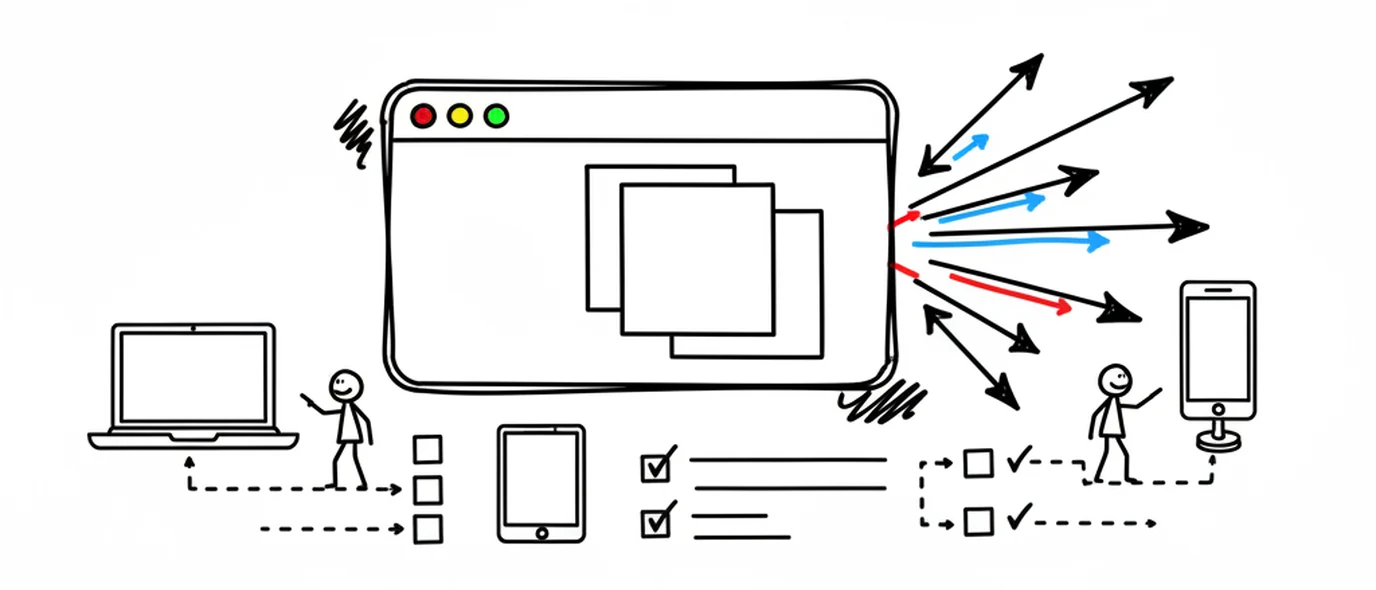
Online journal
Open your journal on any computer you can sign in on, with nothing to install.
Digital journal
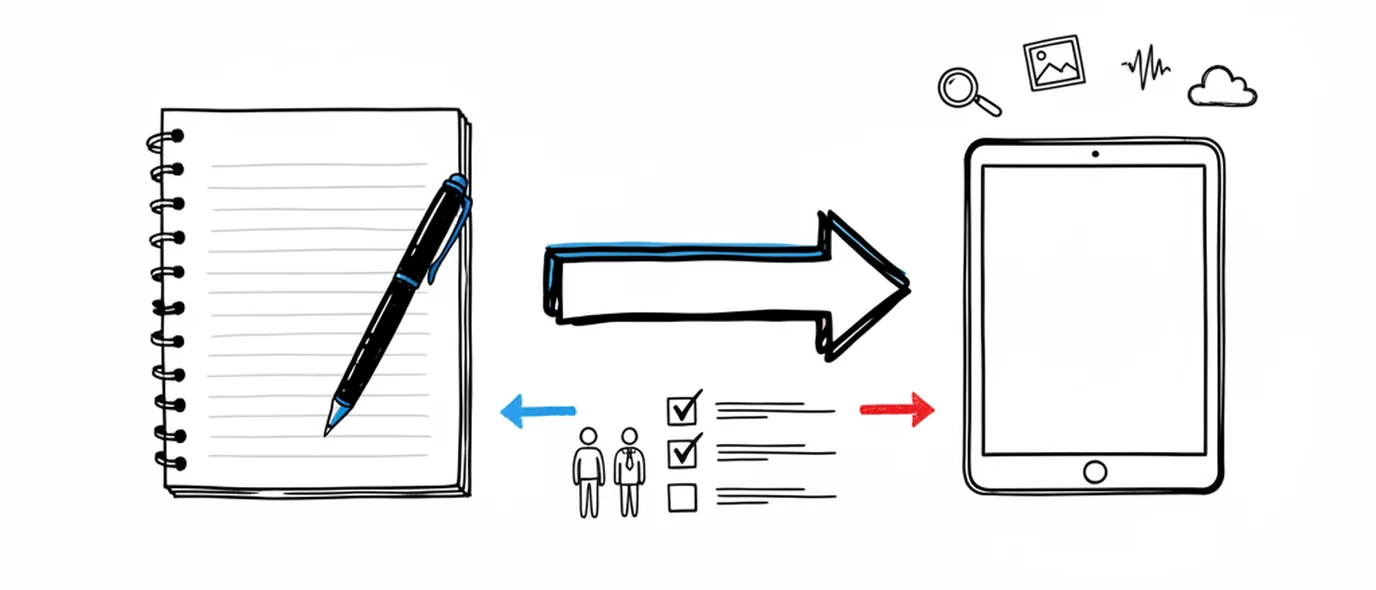
What you gain by keeping a journal on a screen, and the one thing paper still does better.
iPhone, iPad & Mac app
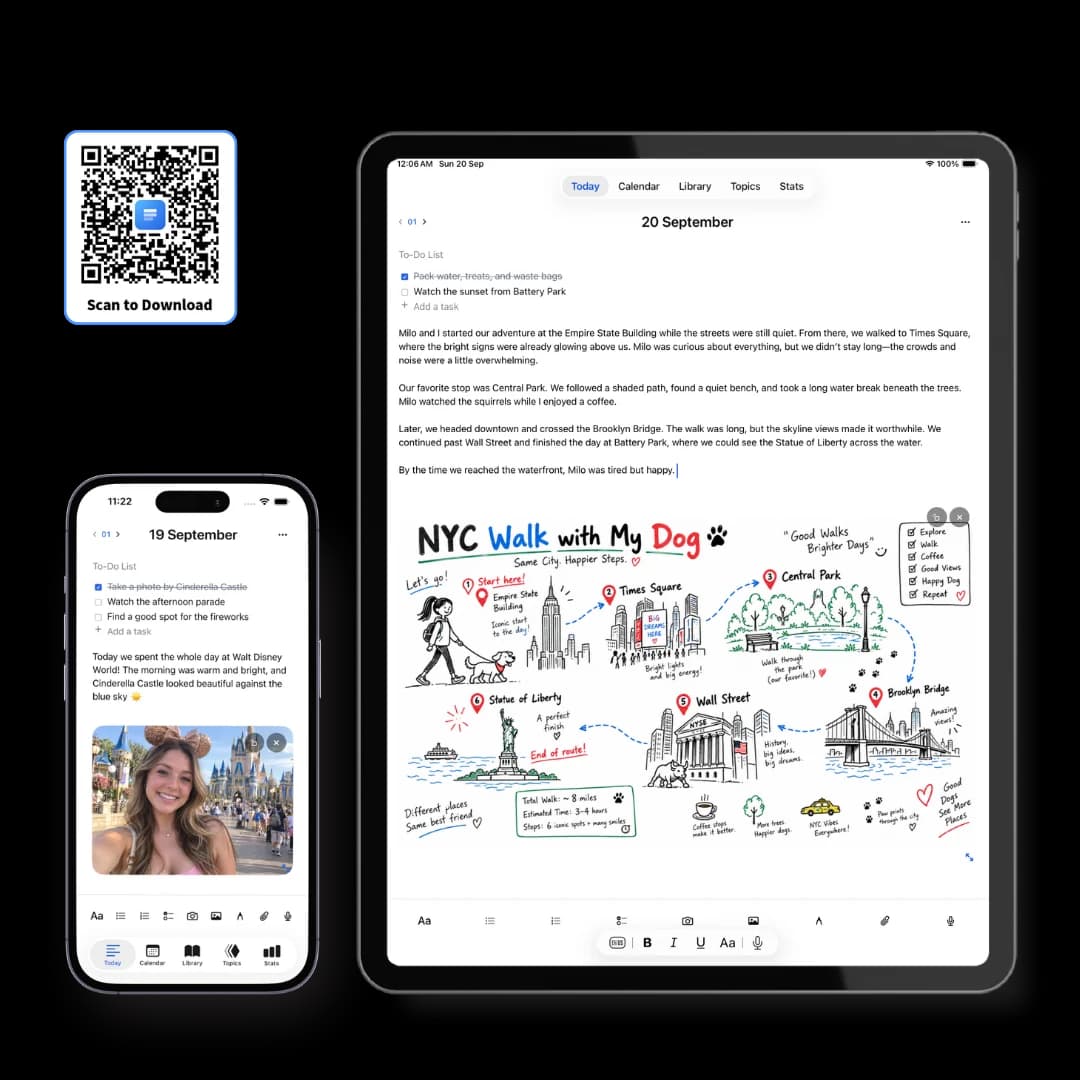
The free app for iPhone, iPad and Mac, with your journal kept on the device itself.
Make room for your mind
every day.
Three pages a day. No setup, no folders, no complexity. Just open it and write.